





Sermons on your site.
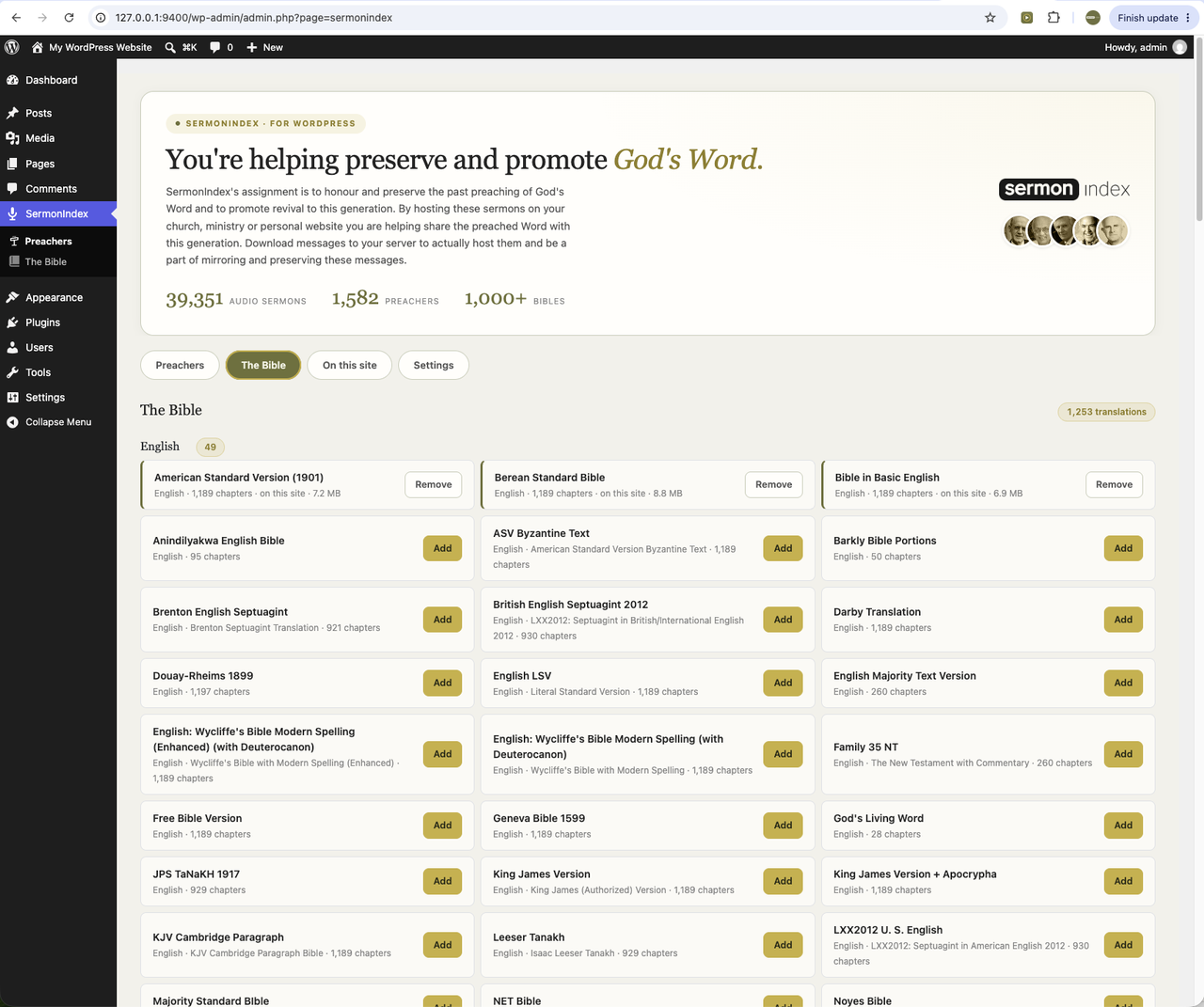
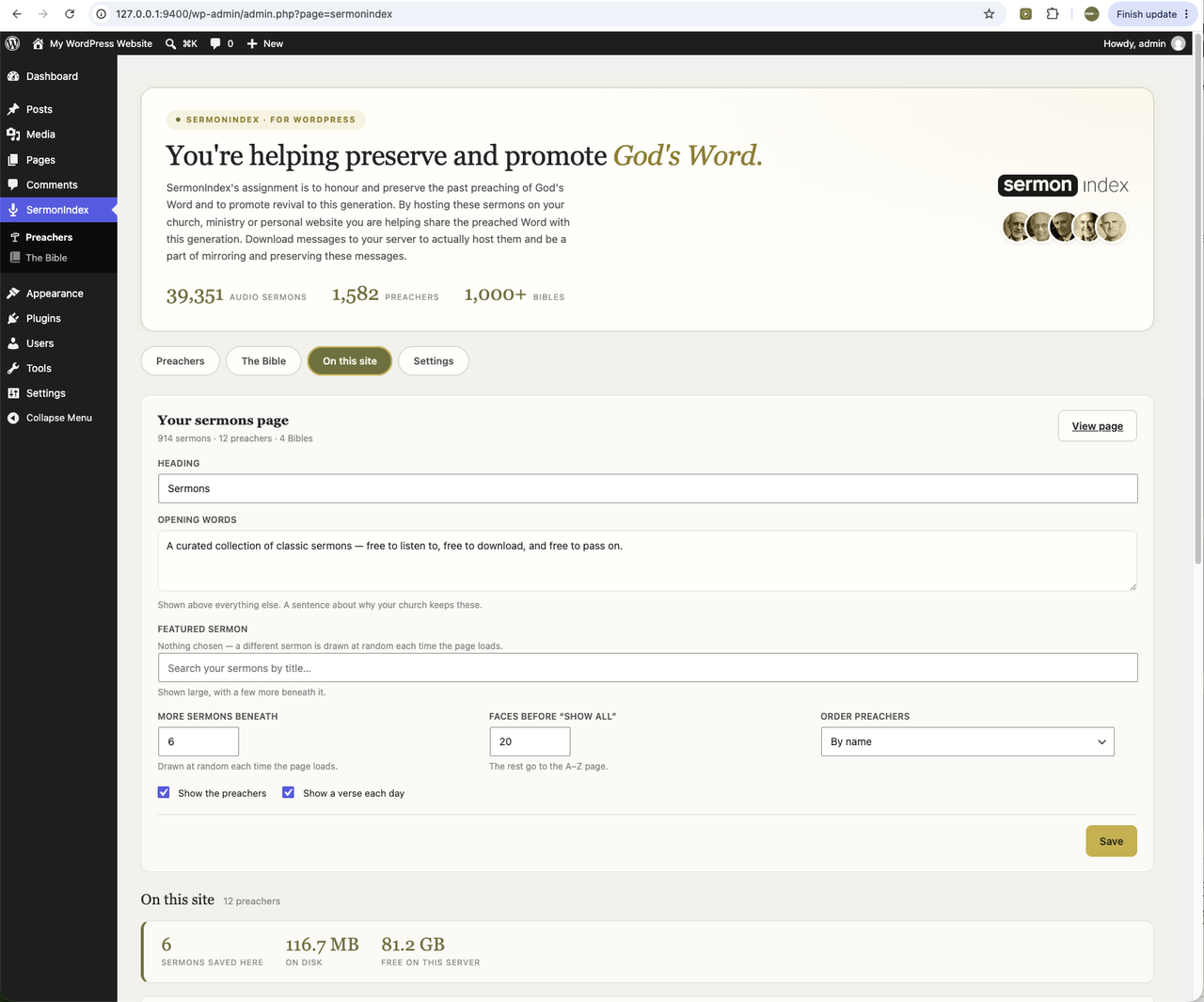
The free SermonIndex plugin for WordPress. Choose your preachers and the plugin builds real pages on your own site — your permalinks, your theme, your search. Keep the audio locally and it keeps playing whatever happens to us.
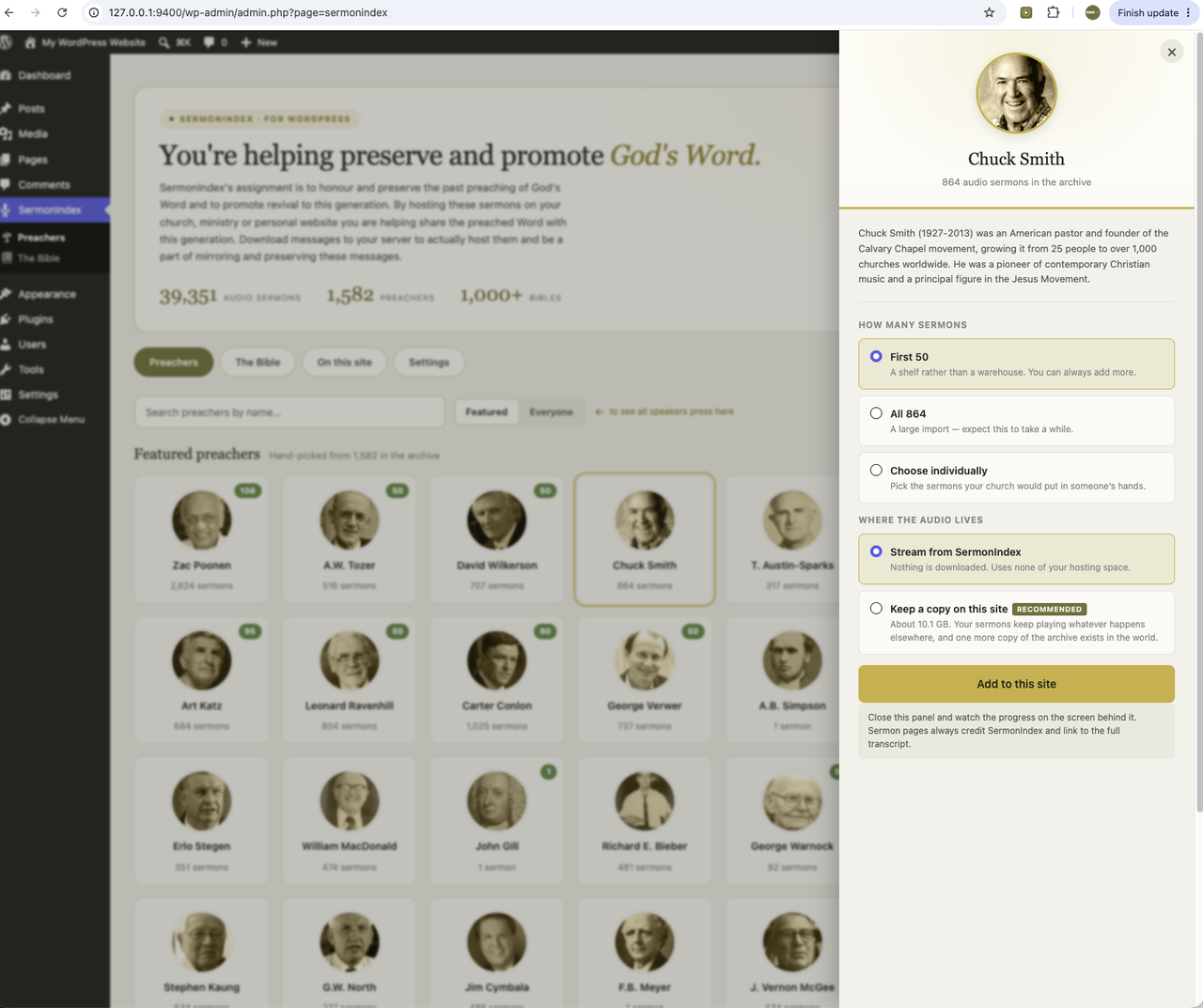
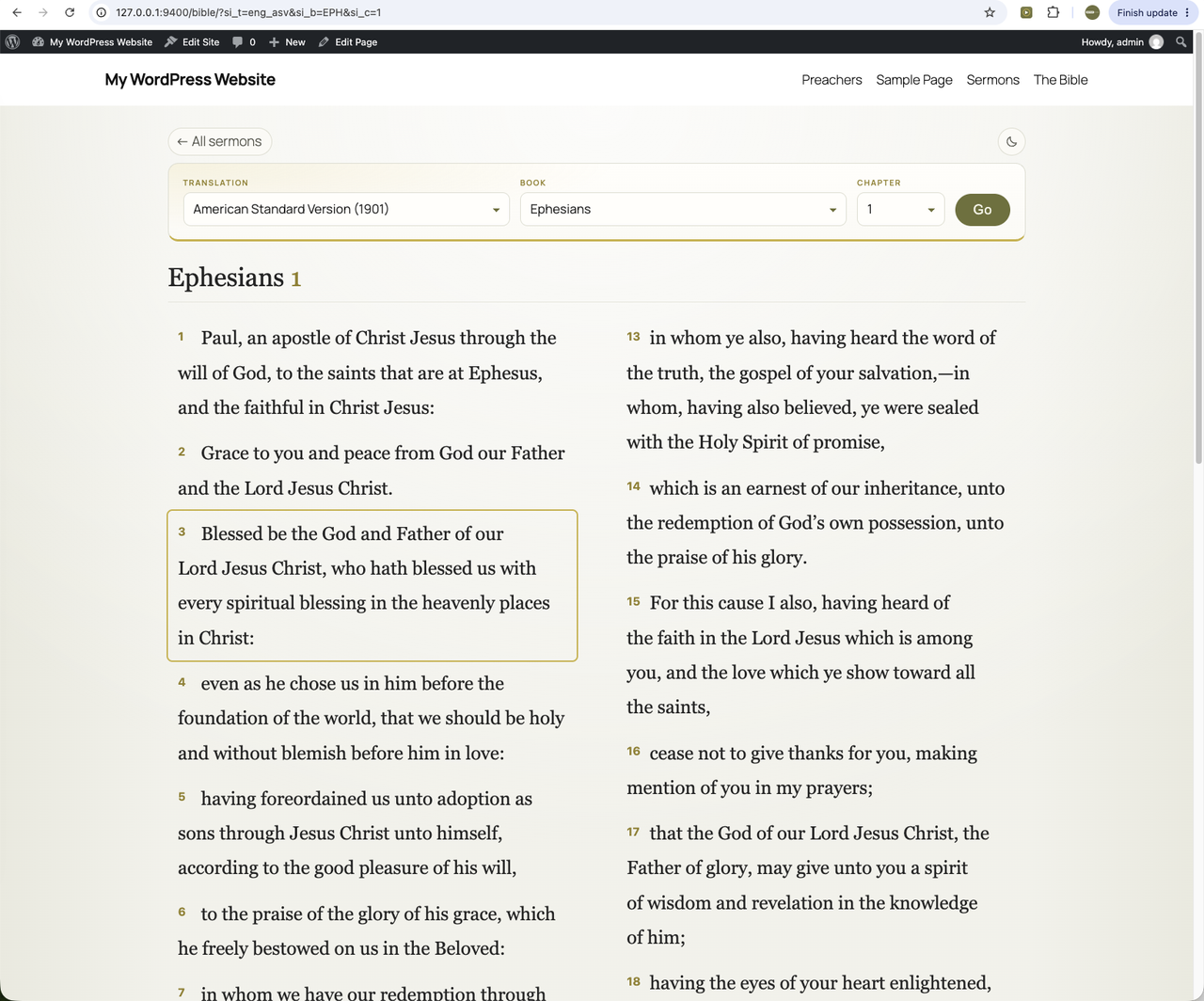
That is what you can put on your own site — every preacher in the archive who has audio, and every Bible translation we hold. You choose how much of it you want: one preacher or five hundred, fifty sermons each or all of them.
Install it from your own dashboard — Plugins → Add New → search “SermonIndex” — or get it from the WordPress plugin directory. It is free, and it always will be.
What it does
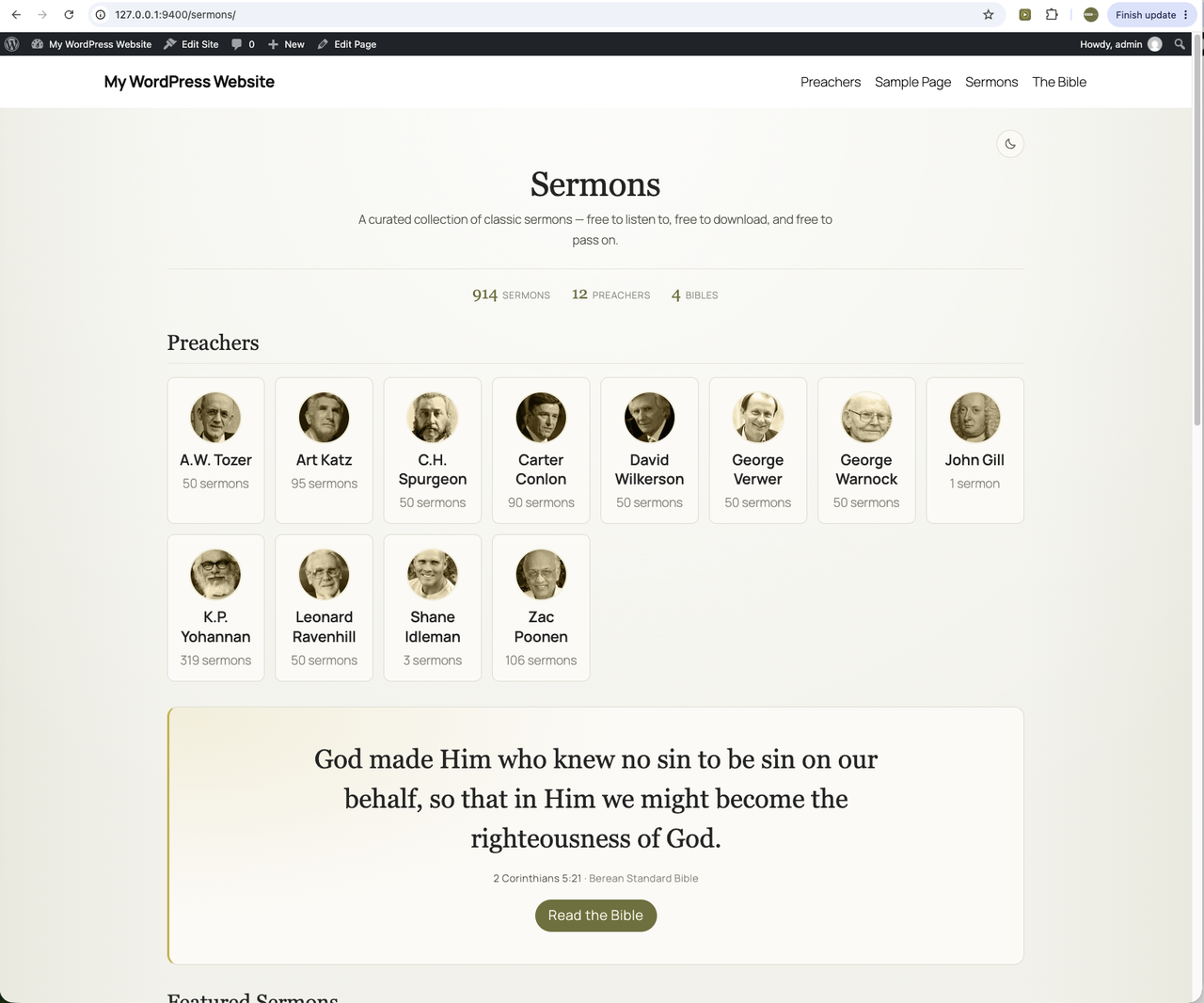
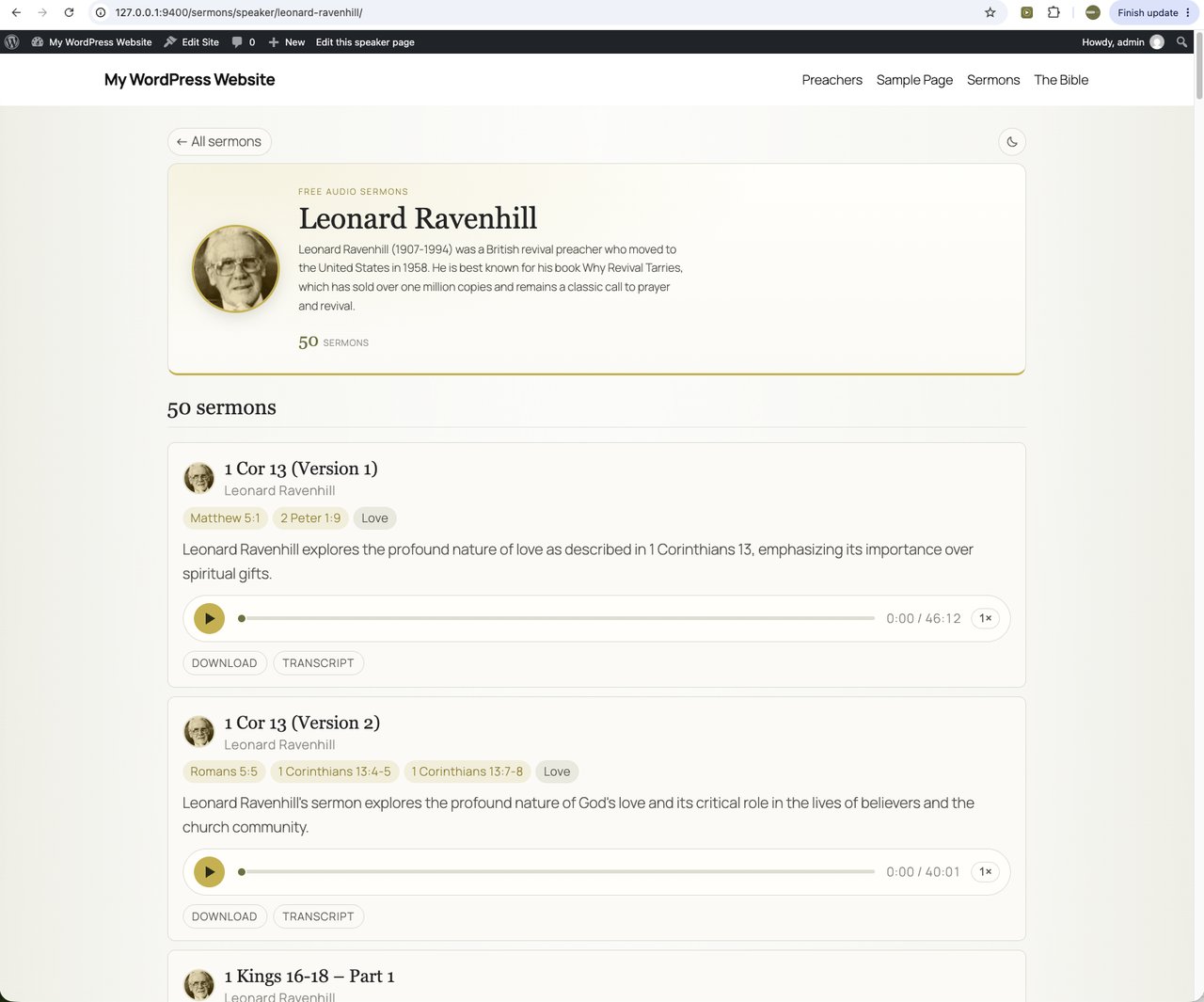
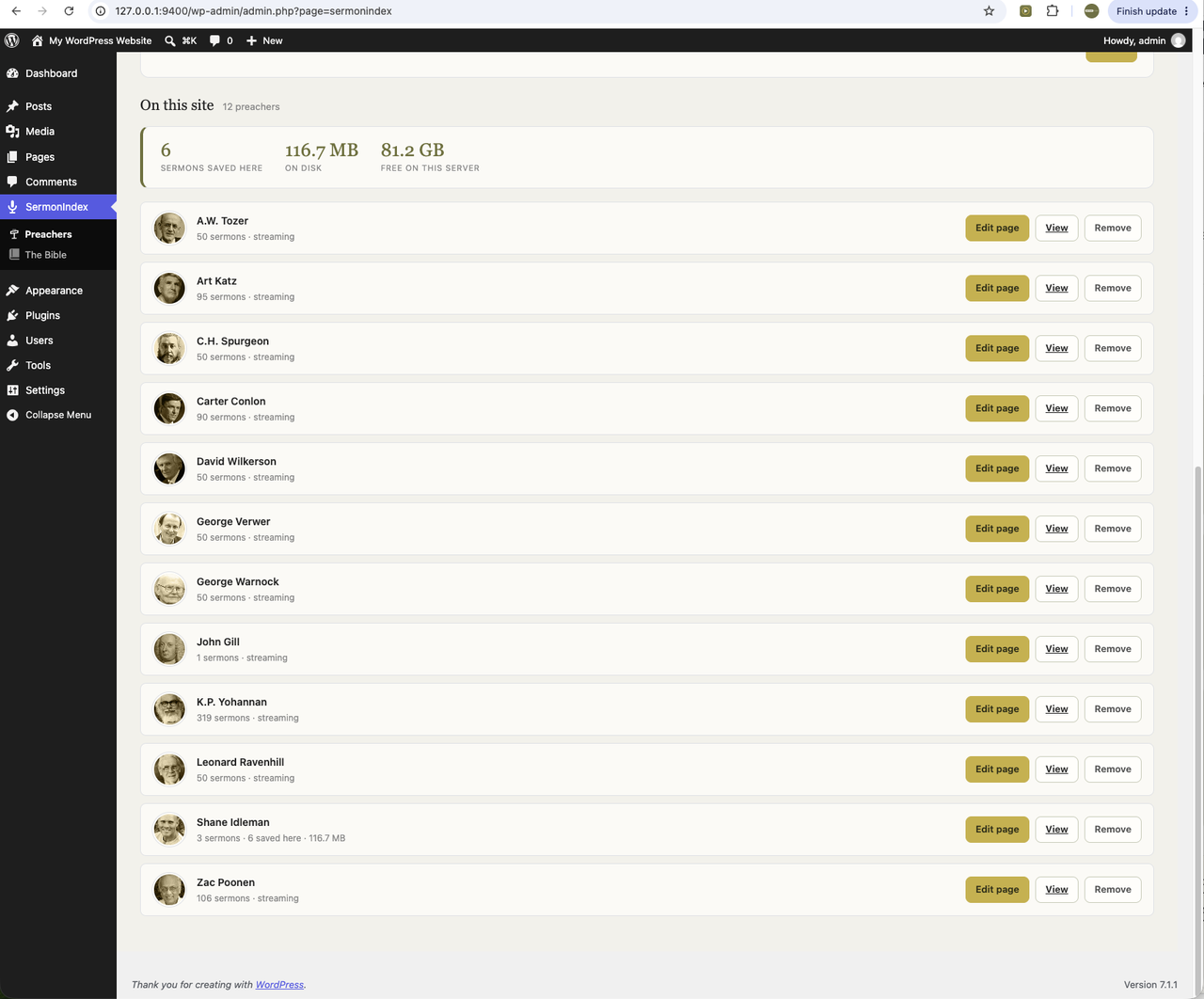
You choose the preachers. The plugin makes a real page on your site for each one and for every sermon — your permalinks, your theme, your search, indexed by Google as your own content. Nothing is embedded in a frame and nothing disappears if we do.
Audio can stream from SermonIndex, or you can keep a copy on your own server, in which case the sermons keep playing whatever happens to us. That is the point: every church that installs this becomes another place the preaching is preserved.
What it looks like
What it needs
WordPress 6.2 or later and PHP 7.4 or later. Streaming works on any shared host; keeping local copies of the audio needs real disk space, so check your plan before switching it on.
Built on the open API
The plugin is a worked example of everything documented here: it reads the same public endpoints, with no key and no rate limit. If you are building something of your own, the programming guide is the place to start — and if you would rather not run a site at all, the offline editions put the whole archive on a disk.